Compact Keyboards with No Compromise
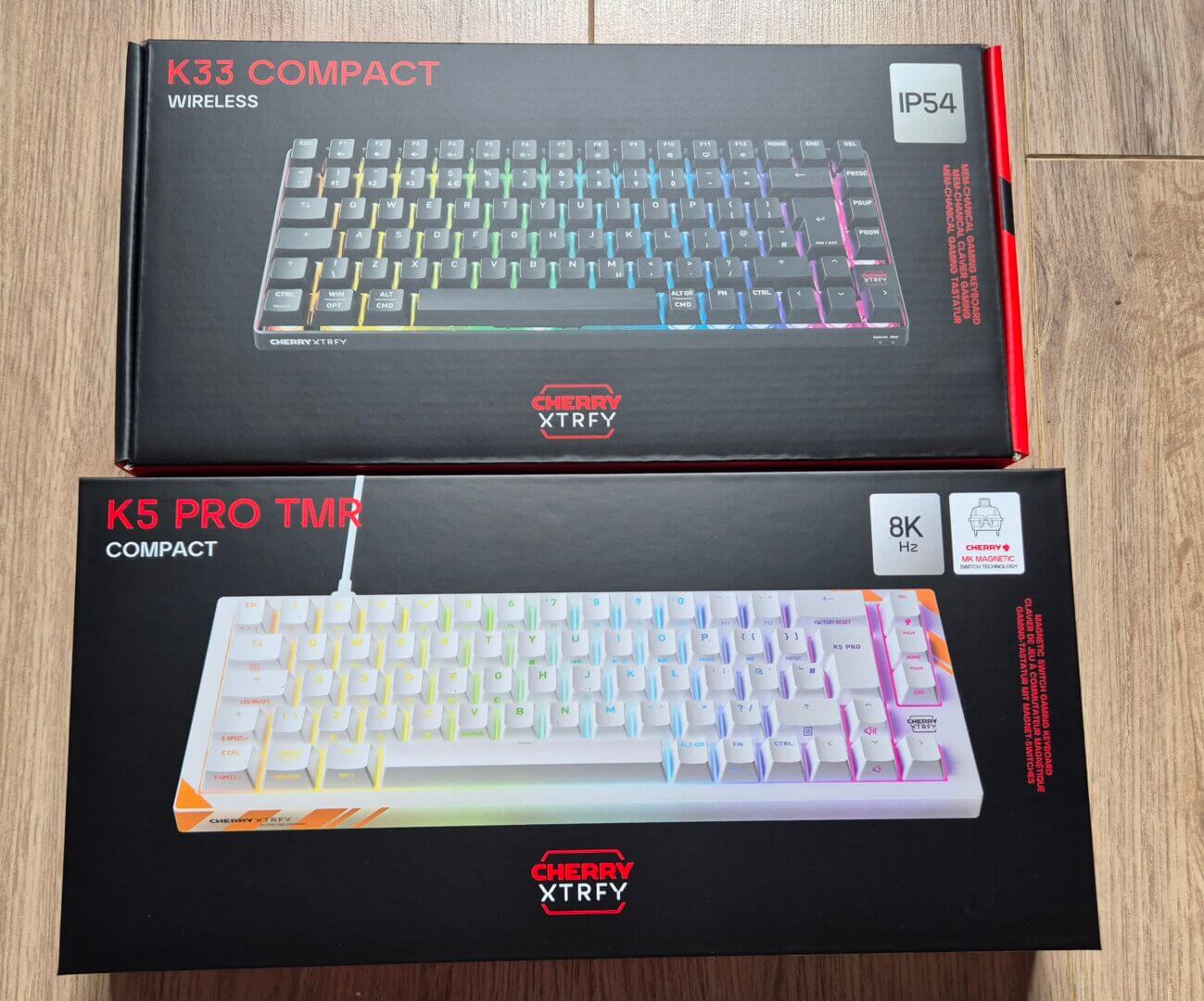
Following on from the recent review of the CHERRY XTRFY MV2V2 lightweight gaming mouse, I am fortunate to bring you more peripherals from CHERRY XTRFY. The gaming keyboard is arguably the most important gaming peripheral, impacting response time and agile movement for many games. Today, we are reviewing two keyboards from their compact range: the K5 PRO TMR and the K33 Compact Wireless. With a €90 (~£75.42) price difference, we will be reviewing the capabilities and quality of each keyboard and whether they’re worth their price point. Each section below was written using the named keyboard to give me the full experience for each device.
K5 PRO TMR Compact
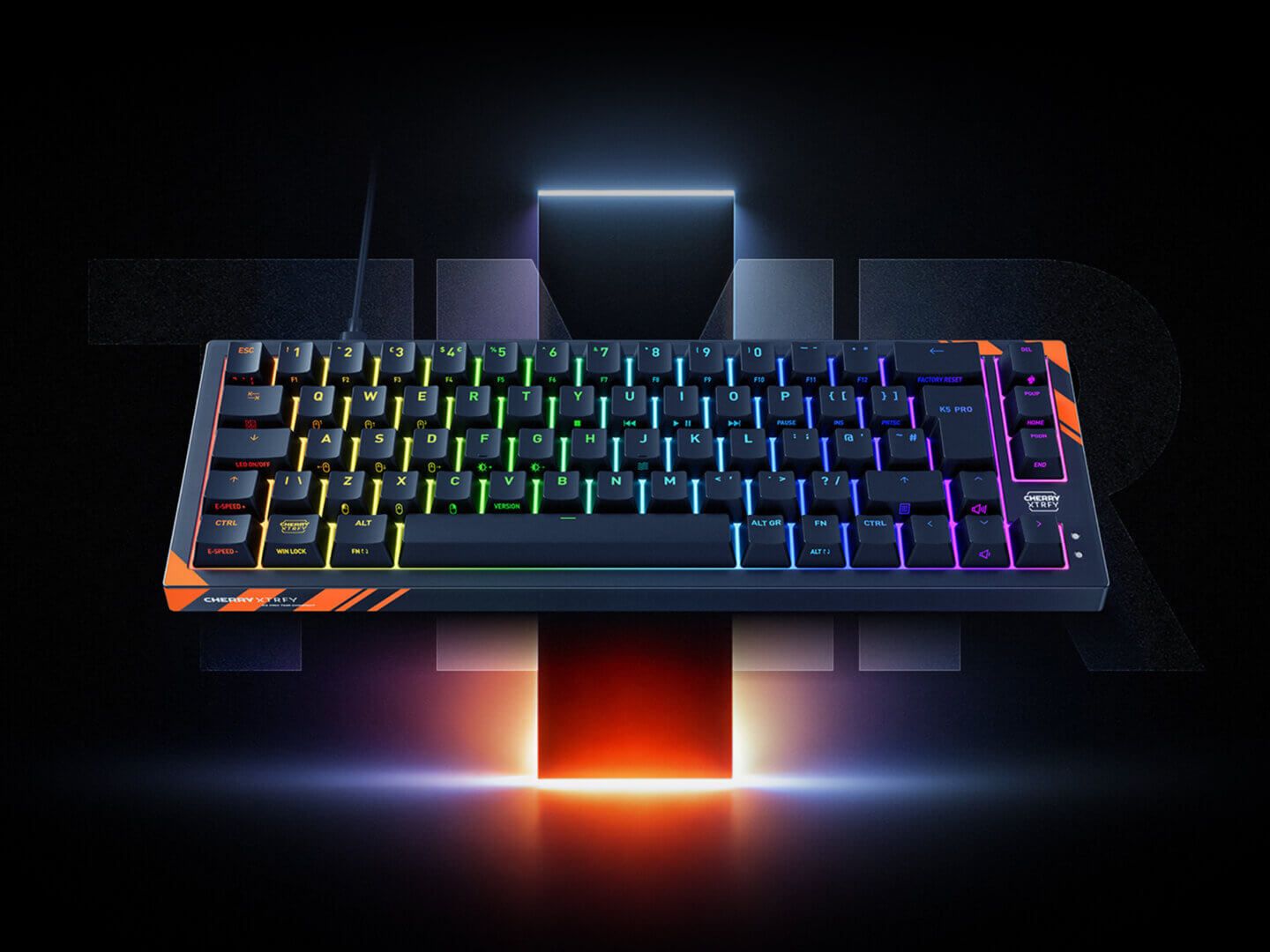
Unsurprisingly based on the name, the K5 PRO TMR Compact is a compact keyboard with a form fact or 65%. I prefer a full-size keyboard so using this petite alternative was a learning experience in typing. Despite the minimal number of keys, the K5 PRO TMR Compact takes advantage of the Fn key to provide full keyboard functionality through a series of twenty nine pre-mapped shortcuts. These shortcuts include cycling through preset backlight effects, multimedia controls, and mouse controls. I also love the Fn + V shortcut which pastes the keyboard’s firmware version, making it easy to get technical support or check for updates.
For such small keyboard, there are a large number of backlighting options that can be set from the keyboard itself. This makes it a great option for low-maintenance gamers as they don’t necessarily need to download the keyboard software (CHERRY MagCrate). It is required, however, for firmware updates so users will have to download the software even if they don’t use the customisation options.
There are multiple software options depending on the keyboard purchased, however the manual and website both name the required software with a link to download on the product website page. CHERRY MagCrate offers an insane amount of customisation for lighting alone – 20 built-in effects, custom created effects, brightness, and effect speed and direction. Additionally, the keys and function layers can be customised and re-mapped, or keys can be disabled to your preference. Macros can also be recorded from within the software and applied to a shortcut, making it a powerful piece of equipment for a compact keyboard.
The K5 PRO TMR Compact uses Mem-chanical switches which produces a delightfully clicky sound without being too sharp or loud. From within the CHERRY MagCrate software, you can precisely tailor the actuation point and dead zone for individual keys or the entire keyboard. Further settings are available for the technical-minded under Advanced Keys, including dynamic key travel, function on key click vs hold, and conditional actions depending on press key combinations. Key switches are also hot-swappable, making it easy to swap out both the keys and switches to achieve your desired build. The box includes a puller tool for swapping keys/switches however I found this was difficult to secure around the keys and scratched their surface.
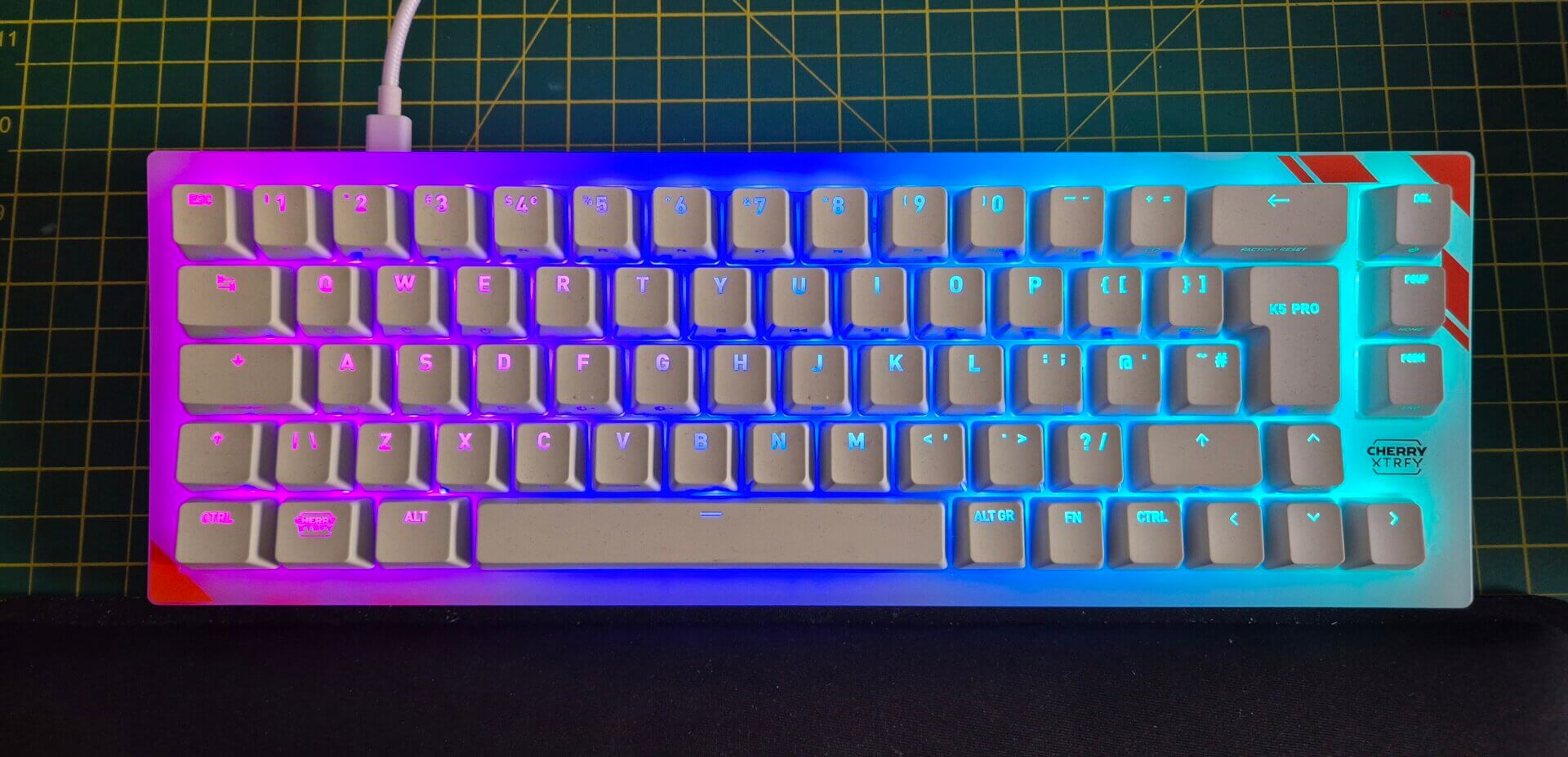
As well as magnetic key switches, the keyboard cover is magnetic allowing users to remove or swap it. These magnets are quite strong, preventing it from coming off during use. This also means that the keyboard is best unplugged to remove the cover as you need a good hold and anchor point to lift it. The cover is translucent, contributing to the overall aesthetic as it diffuses the backlighting across the entire keyboard instead of restricting it to the keys. There are orange stripes on opposing corners of the keyboard, giving a sense of branding. It feels a little tacky against the overall simplistic design where backlighting is the core aesthetic, however it’s a small and forgettable issue relative to the keyboards power and function.
With a max polling rate of 8,000 Hz, this keyboard is incredibly responsive to input. By default, polling rate is set at the max 8,000 Hz value but this can be adjusted down to 125 Hz depending on use case and preference. Between the key switch settings and polling rate, this keyboard is more sensitive than I’m used to. This is great for games requiring rapid and controlled movement, but terrible if you’re as heavy handed as I am.
This is a wired keyboard with a USB-C to USB-A connection. The USB-C port is the only port available on the keyboard giving it a smooth, flush appearance around the edges. It also means the keyboard can’t die mid-game – my favourite wired keyboard benefit! The wire is 2m in length and fairly flexible so should work for most setups. Wire colour will also match keyboard colour, so consider this if you’re picky about cable management and aesthetics. This keyboard and wire certainly stand out against my mostly black setup.
Final Thoughts
The K5 PRO TMR Compact is currently listed on the CHERRY XTRFY website for €149.99 (~£125.69). It’s a little pricey compared to our previous item in the article, however it offers a high level of technical customisation to support more serious/intense gamers. This keyboard is best suited to those looking for high performance in a small package without sacrificing quality.
K33 Compact Wireless
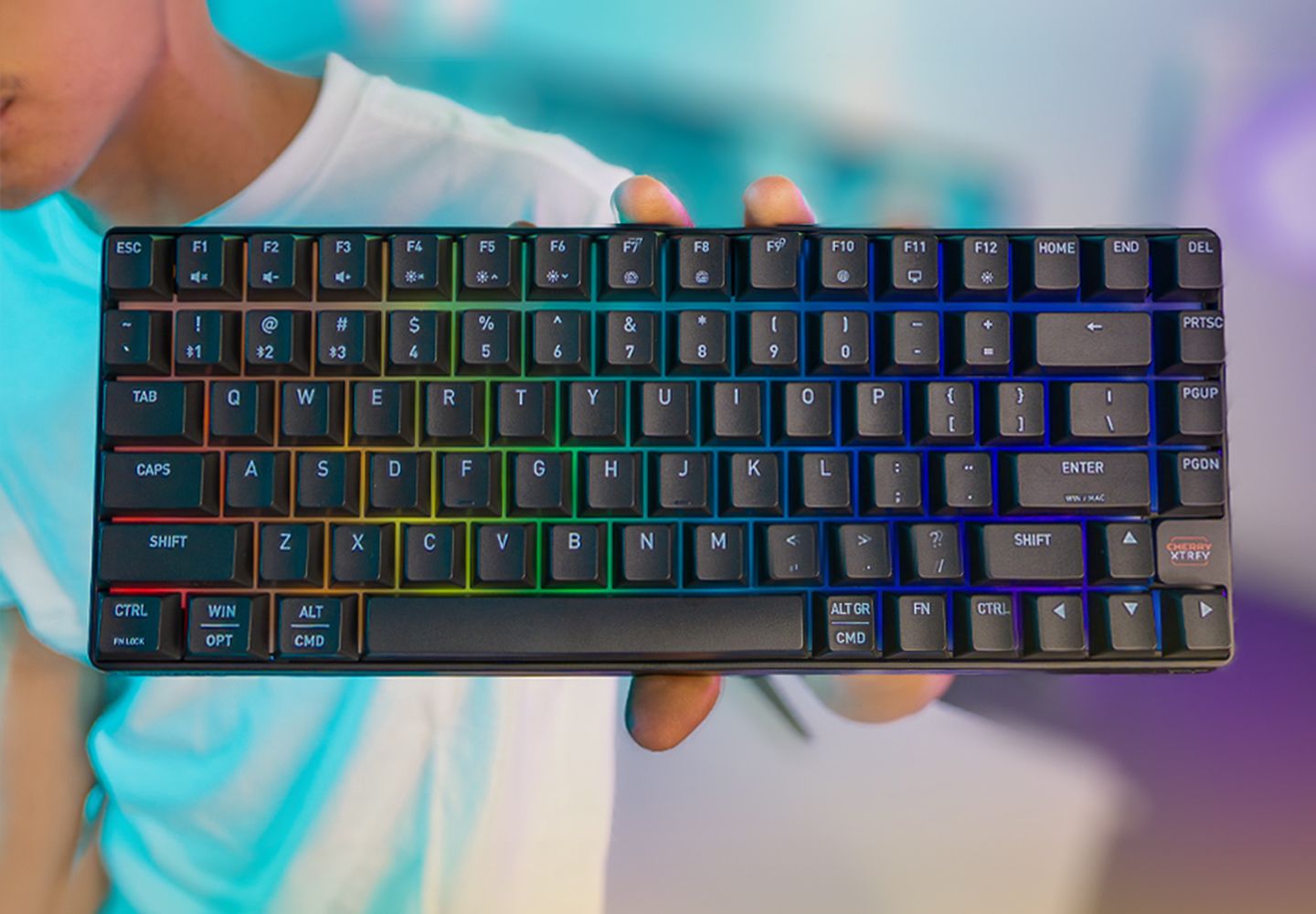
Unlike the K5 PRO TMR Compact, the CHERRY XTRFY K33 Compact Wireless is a more basic peripheral intended for plug and play. It has a form factor of 75%, meaning that the function keys are on their own, separate row. For me, this is much more practical when it comes to multi-media controls and backlighting effects. There is no associated software for customisation so what you see is what you get, however there are function buttons dedicated to backlight controls. The K33 keyboard comes with seven built-in backlighting effects, and the ability to increase or decrease backlight speed and brightness. Backlighting can also be turned off, making a great option for those who care less about aesthetics than function and performance.
The keyboard is IP54 rated for dust and water resistance, making it a great choice for younger gamers, or those with more hectic, busy lives, and lots of clutter (me!). This way a spilled drink is not a death sentence for your keyboard setup, just a minor inconvenience. There is one USB-C port for charging or wired connection, that is protected by a small (easy to lose) plug when not in use. This protects the internals from what would otherwise be a weak point for water resistance.
This keyboard was designed for universal capability, rather than catering to audience-specific demands. The K33 keyboard is wireless for flexibility, with Bluetooth and 2.4GHz (Nano-USB dongle) connection options. Switching between connection type is easy, using a simple slide toggle which also doubles as the on switch. This switch and the charging port plug are exceptions to the otherwise smooth, flush keyboard casing, making it easy to turn on and off without lifting the keyboard.
There are three Bluetooth channels available, allowing you to connect to up to three separate devices and easily switch between channels using the function and number keys. I noticed no difference in performance when typing using the 2.4GHz connection vs Bluetooth. The dongle is stored underneath the keyboard, held securely by small clips. Unless you have a particularly aggressive play style, there’s no way that dongle is falling from its place. Charging is via USB-C to USB-A cable, the standard cable type for most modern devices. The provided cable is fairly short for my setup so I would recommend using a wire of your choosing if you go down this route.
The practicality of the K33 extends beyond connectivity and backlighting.There are function keys available for launching the device’s default browser, launching file explorer, and to also switch between Windows and Mac compatibility.There’s even a keyboard shortcut for the micro symbol, but I can’t figure out how to use it so it’s somewhat redundant as of right now. The front of the keyboard also contains two small LEDs for Caps Lock and Mode, placed within view yet not distracting from the overall keyboard.
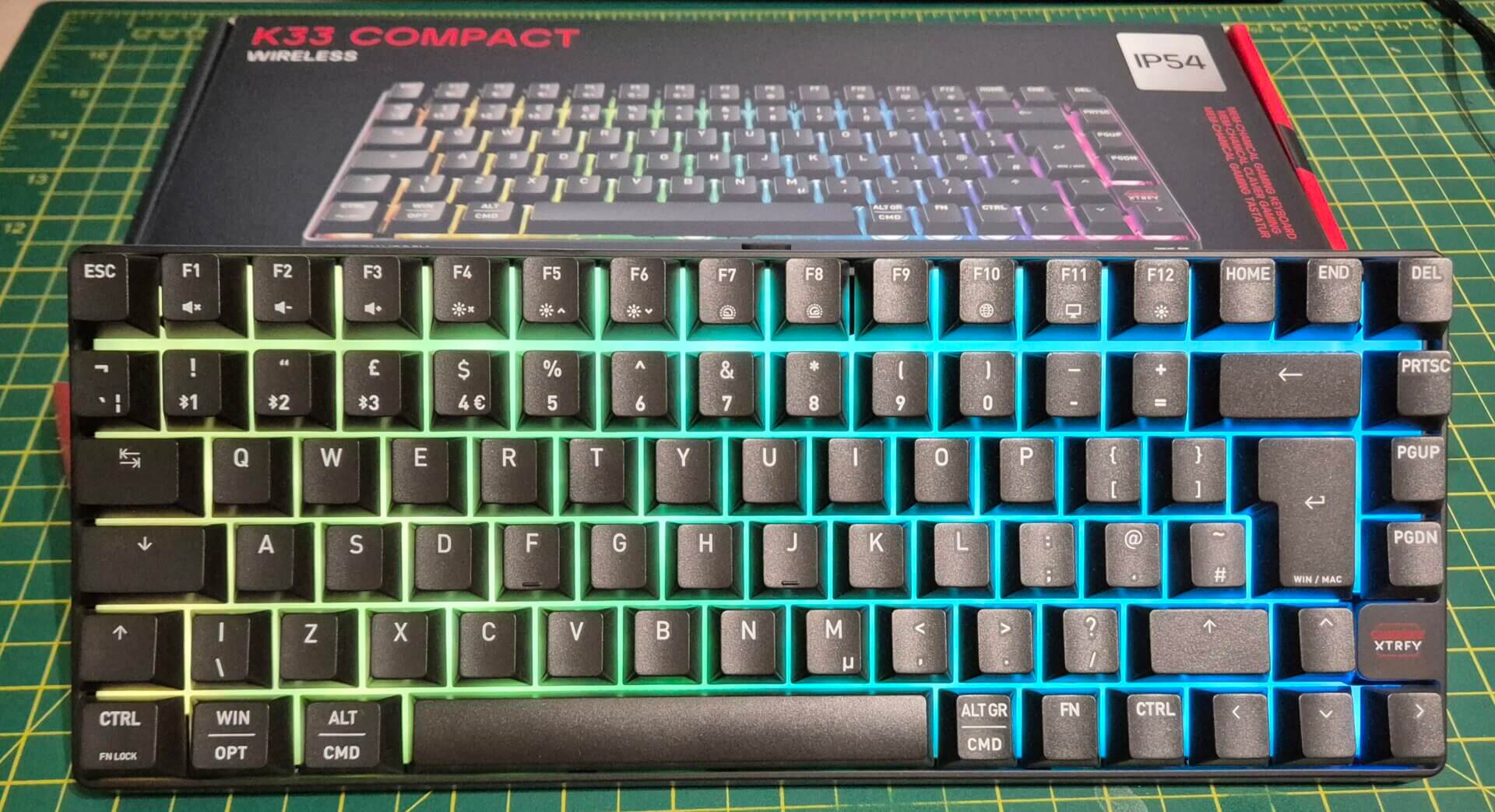
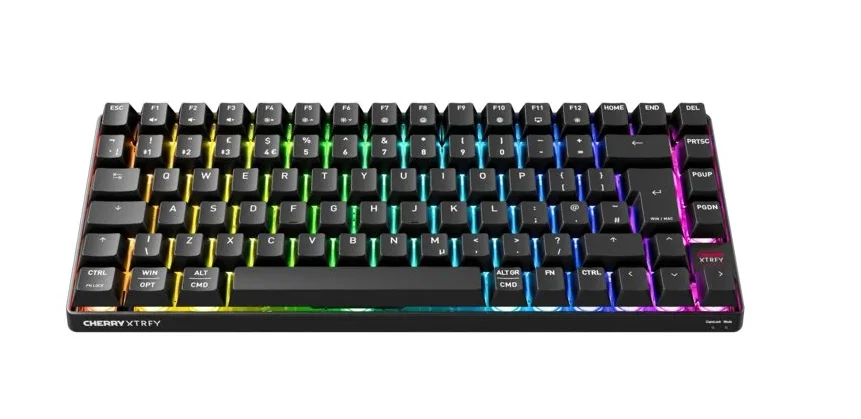
The K33 Compact uses Mem-chanical switches, which list a response time of 3-5ms and anti-ghosting to prevent false inputs. There’s a good level of clackiness to the key. It’s a satisfying sound, a little louder than the K5 PRO TMR, but a more traditional mechanical sound whereas the K5 PRO TMR is softer. I experienced some squeaking from the keys when typing, this did, however, reduce with use. The keyboard has a polling rate of 1,000Hz, a base standard for most gaming keyboards. For typing, this perfectly responsive, however for more intense games requiring high responsivity it would fall short relative to the K5 PRO TMR. Despite this, it’s still an excellent budget keyboard choice.
Final Thoughts
The K33 Compact Wireless keyboard is currently listed on the CHERRY XTRFY website for €59.99 (~£50.27). This model is definitely made for beginner to intermediate gamers looking to get a piece of kit to support their hobbies. It’s a good budget piece for a gaming keyboard that meets industry standards without breaking the bank.
Conclusion: K5 PRO TMR vs K33 Compact Wireless
The K5 PRO TMR is a high-quality keyboard for a medium-high budget. It is extremely responsive and customisable, adapting to all play styles. The additional software (MagCrate) boosts customisability, allowing users to precisely tweak their key switches and shortcuts to their ideal settings. This keyboard was amazing and a great reflection of the price point, however it is definitely targeted towards gamers of a higher calibre who have specific requirements for their technology.
On the other hand, the K33 Compact Wireless is much more budget-friendly and this shows in its capabilities. It meets industry standards for gaming keyboards and is designed for plug and play use. It’s responsive and does a good job, but pales in comparison to the K5 PRO TMR keyboard. Despite this, it is a great budget friendly option for beginner and intermediate players and hobby players. Both keyboards are excellent options, dependent on your preferences and budget.